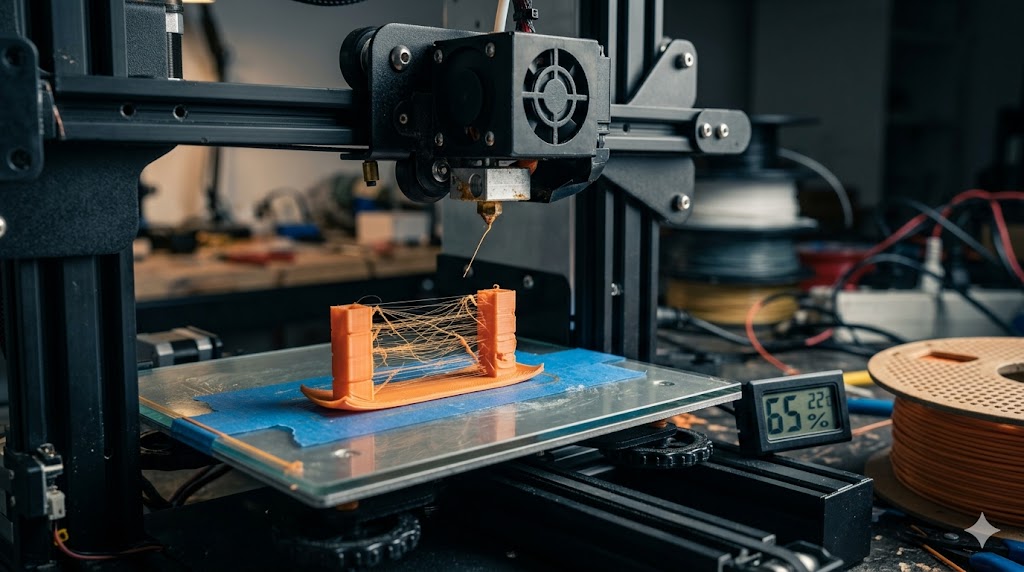
The Philippine climate is rough on 3D printers. High humidity ruins filament, brownouts kill mid-print jobs, and dust from open windows clogs nozzles. Here are the most common problems Filipino makers run into and how to fix them.
1. Wet Filament
This is the number one issue in the Philippines. Filament absorbs moisture from the air and produces popping sounds during printing, weak layer adhesion, and rough, bubbly surfaces.
Fix:
- Store filament in sealed dry boxes with silica gel
- Dry wet filament in a filament dryer at 45 to 55°C for 4 to 8 hours
- In a pinch, use a food dehydrator or oven at the lowest setting
- Buy filament from sellers that ship it sealed, not from open display
2. First Layer Not Sticking
Common cause: bed not leveled, dirty bed surface, or first layer too high.
Fix:
- Re-level the bed (auto-level if your printer supports it)
- Wipe the bed with isopropyl alcohol before every print
- Lower the first layer height slightly in your slicer
- For PETG, use a glue stick or hairspray for adhesion
3. Warping
PLA warps in air-conditioned rooms with strong drafts. ABS warps almost always without an enclosure.
Fix:
- Move the printer away from aircon vents and open windows
- Add a brim or raft in your slicer
- Use an enclosure for ABS and ASA
- Increase bed temperature by 5 to 10°C
4. Stringing and Oozing
Wispy strings of plastic between print parts. Usually caused by wet filament or wrong retraction settings.
Fix:
- Dry your filament first (most common cause in the Philippines)
- Increase retraction distance by 1mm increments
- Lower print temperature by 5°C
- Enable wipe and combing in your slicer
5. Clogged Nozzle
Dust, debris, and burnt filament residue cause clogs.
Fix:
- Do a cold pull (also called atomic pull) to clear soft clogs
- Replace the nozzle if clogs are recurring — nozzles cost PHP 50 to PHP 200
- Use a brass brush to clean the outside of the nozzle
- Filter the air around your printer if you live near a busy road
6. Layer Shifts
Print suddenly skews to one side mid-print.
Fix:
- Check that belts are tight but not over-tensioned
- Slow down your print speed
- Make sure nothing is bumping the printer or filament spool
- Check stepper motor drivers are not overheating
7. Brownouts Killing Prints
Power dips and outages in many Philippine areas can ruin long prints.
Fix:
- Get a small UPS rated for at least 600VA for your printer
- Enable power loss recovery in your printer's firmware (most modern printers support this)
- Save your slicer profiles to start a print quickly after a failure
8. Filament Snapping on the Spool
Old PLA gets brittle, especially after sitting in humid conditions then being dried.
Fix:
- Use filament within 6 months of opening when possible
- Store in airtight containers with desiccant
- If a spool keeps snapping, dry it and reduce print speed
9. Under-Extrusion
Lines look thin, gaps appear between perimeters and infill.
Fix:
- Check the extruder gear for filament dust buildup
- Increase nozzle temperature by 5 to 10°C
- Calibrate your e-steps (extruder steps per millimeter)
- Verify your filament diameter matches your slicer settings
10. Z-Wobble or Ribbing Pattern
Vertical ridges on the side of prints. Usually mechanical.
Fix:
- Check the Z-axis lead screw for bends or debris
- Lubricate the Z-axis with white lithium grease
- Make sure the lead screw nut is not over-tightened
A Note on Heat
Print rooms in the Philippines often hit 32 to 35°C. This can affect cooling, especially for PLA, which needs strong part cooling to retain detail. If your prints look melted or droopy in summer, point a small fan at the printer to keep ambient temperature down.